1. Sign out & Factory Reset
※ Activation lock may still remain even after reset.
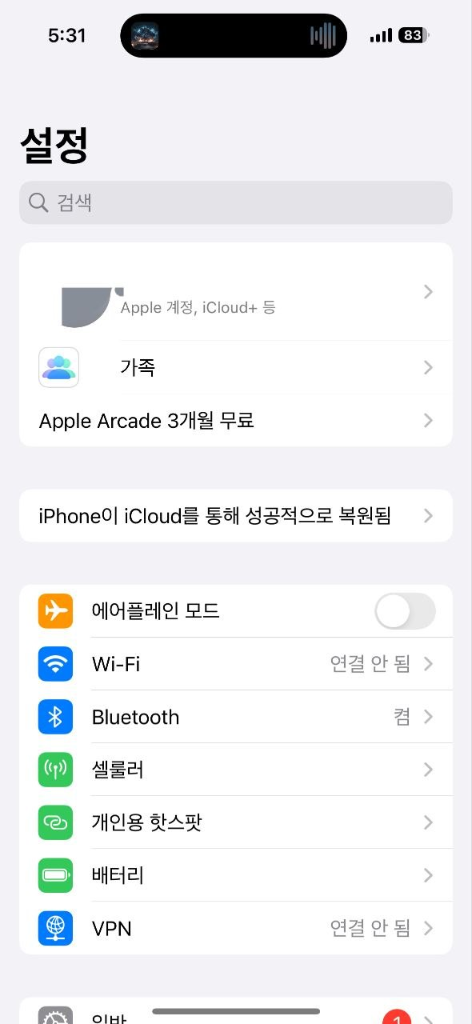
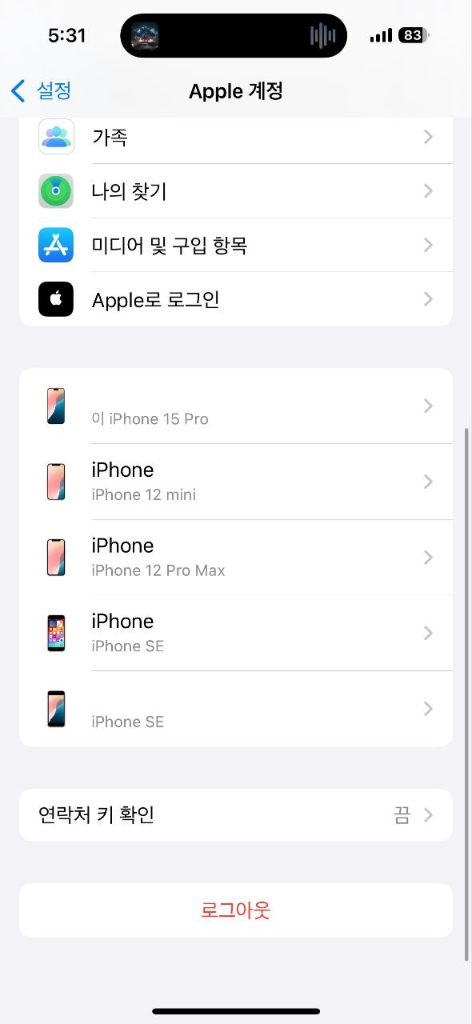
Please turn off 'Find My iPhone' and sign out completely.
Settings ➜ Apple ID ➜ Sign Out
Scroll down and tap [Sign Out]
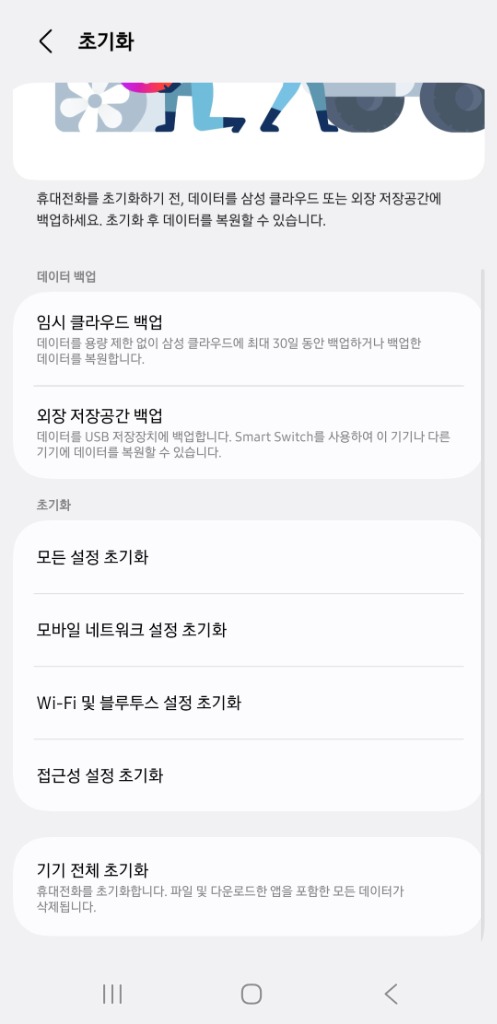
1. Factory Data Reset
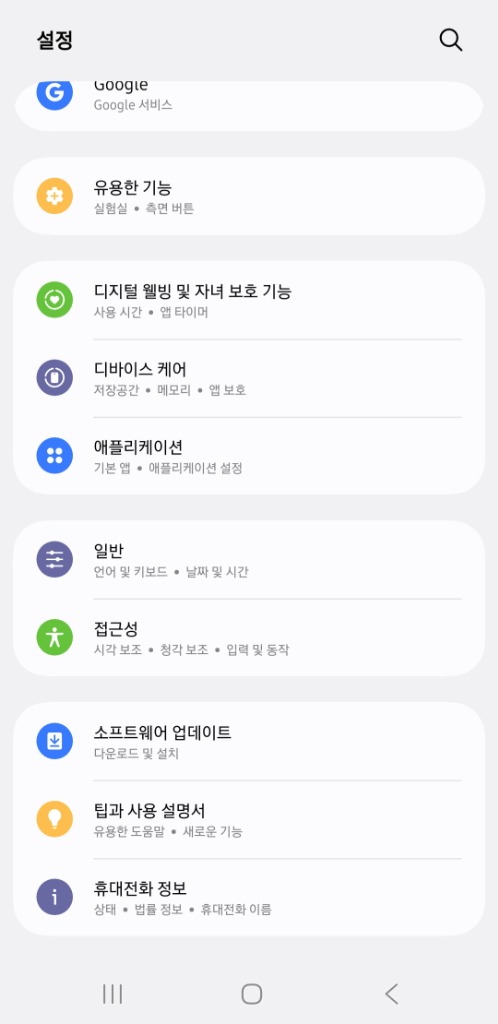
All accounts including Samsung/Google must be removed.
Settings ➜ General management ➜ Reset ➜ Factory data reset
2. SIM Card & Data Policy
Please backup your important data and remove your SIM card before shipping. We will permanently erase all remaining data upon inspection.
3. Shipping Guide
warning
Name Matching Notice:
The sender's name on the parcel package MUST MATCH EXACTLY the applicant's name () to ensure fast verification.
1
Convenience Store (CU / GS25)
- Pack your phone securely (use bubble wrap if possible).
- Use the self-service Postbox terminal at any CU or GS25.
- Select "Domestic Parcel" (국내택배).
- Choose "Pay on Delivery / COD" (착불) - shipping is FREE for you.
- Input the destination address below. Print waybill and scan at cashier.
2
Korea Post Office (우체국)
- Go to any local Korea Post branch.
- Ask for a "Cash on Delivery Parcel" (착불 소포) form.
- Fill out the form with the receiver's address and phone number below.
- Hand the parcel to the clerk. (No shipping payment required).
Destination (Receiver / 받는 사람)
Name: 쉐라폰 (Sheraphone)
Phone: 010-5173-5382
Address: 부산광역시 남구 남동천로 128 BIFC2 716호 쉐라폰검수센터
 SharaPhone